Getting Started
Your first session, from placing the habitat to your first new human.
Before you play
My Pet Human uses your headset's Space Setup to find your walls, floor and ceiling. If you have not set up your room yet, the game can open room setup for you (Settings > Scan room). The first time you play, the headset asks for permission to use spatial data. You can say no and still play, but the space window will not stick to your walls.
The title screen
A post rises out of your floor and shows the main menu: Begin and Settings. Settings lets you change sound and voice volume, how fast needs go down, the habitat stand, help text and tips before you start.
Placing the habitat
After Begin, point your right controller at the floor to place the habitat.
| Input | What it does |
|---|---|
| Right stick up and down | Raise or lower the stand |
| Right stick left and right | Turn the habitat |
| Right B | Stand on or off (off puts the habitat on your desk or table) |
| Right trigger | Place it |
The habitat's spot is saved with your headset, so next time it is right where you left it. You can move it later from Settings > Move the habitat or with move mode (see The Habitat).
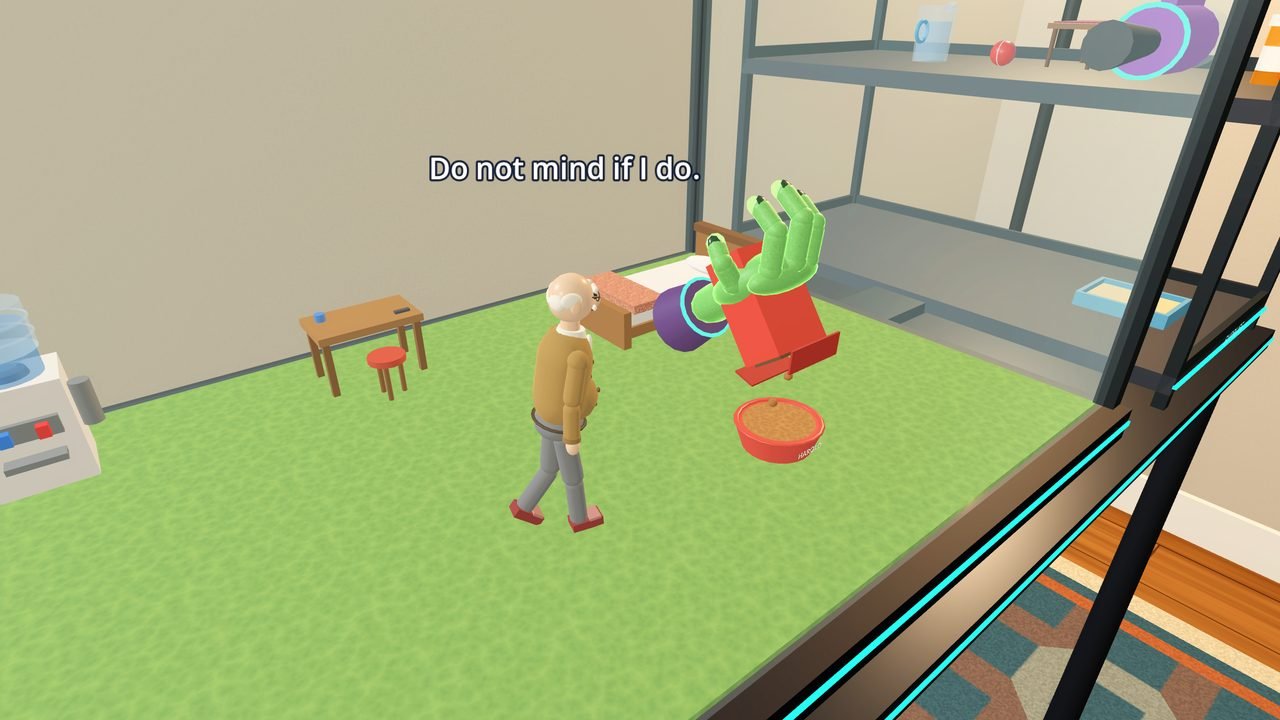
The opening tutorial
New games start with a short tutorial, led by the ship's voice on the guide panel that floats at the bottom of your view. A glowing arrow points at whatever it is talking about.
- Harold arrives. Your first human, Harold, comes up the tube in a capsule. ("He enjoys sitting in sand.")
- Let him out. Take the capsule, pull the trigger to open the lid and tip Harold into the habitat.
- Observe him. Just watch for a moment. He will notice.
- Set up his home. Put in the food bowl and pour the Human Chow, set up the water cooler and fill it with the pitcher, then add the bed, the shower and the craft table. He tries them all out.
- He gets sick. Spilled chow goes bad, and he eats some. Give him a pill, then clean up with the vacuum.
- Send him off, or keep him. You learn how to eject a human into space, and you choose: send Harold off, or keep him in a storage cage.
- Fly the ship. The console shows you how to fly to Glorpax to buy more chow and soda, then back to Earth to abduct a new human.
You can skip the tutorial from the guide panel at any time. If you quit partway, it is skipped next time.
Your first few minutes on your own
- Keep the bowl and water cooler filled. Watch the stats tablet on the front of the stand for every need.
- Give them a gentle pat on the head now and then. Gentle pats build trust and calm them down.
- When they make a craft, put it in the capsule and send it down the tube for credits.
- Press COMMS on the console and look at Jobs for easy credits.
- Turn on Tips in Settings for short hints when something comes up.